
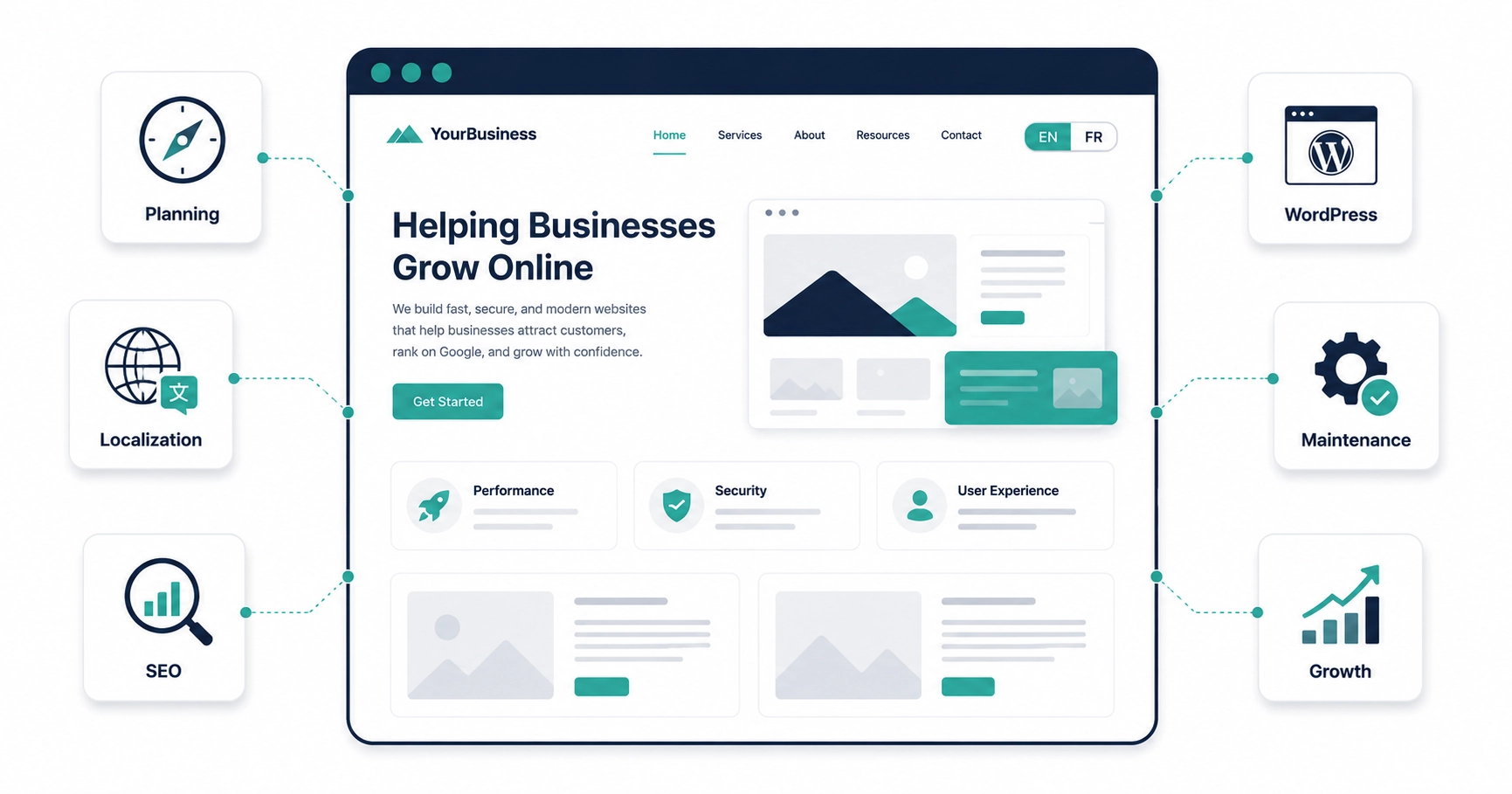
A bilingual website allows visitors to access the same website in two different languages, making it easier to browse, understand, and interact with your business in the language they are most comfortable using. In Canada, this most commonly means offering both English and French versions of a website, although a bilingual website can be created using any combination of two languages. As the most common type of multilingual website, it supports two languages instead of three or more.
As businesses continue to serve increasingly diverse audiences, bilingual websites have become an important part of building a successful online presence. They help businesses reach more people, improve the customer experience, build trust with visitors, increase accessibility, and create opportunities to appear in search results across multiple languages.
Building a successful bilingual website, however, involves much more than simply translating text. From choosing the right website structure and translation workflow to designing an intuitive user experience and optimizing each language for search engines, every decision contributes to how your website performs and how visitors experience your business online.
This guide walks through every stage of creating, optimizing, and managing a bilingual website. You’ll learn the key concepts, best practices, and common mistakes to avoid so you can make informed decisions whether you’re building your first bilingual website or improving an existing one.
While many examples throughout this guide focus on English and French websites in Canada, the same principles apply to bilingual websites in any language combination.
If you’re planning to build a bilingual website for your business, you can also explore our Bilingual Website Design services to see how we help Canadian businesses create websites designed for both users and search engines.
What Is a Bilingual Website?
A bilingual website is a website that provides its content in two different languages, allowing visitors to browse, understand, and interact with the same website in whichever language they prefer. In Canada, this most commonly means offering both English and French versions of a website, although a bilingual website can be created using any combination of two languages.
Rather than requiring visitors to use separate websites for each language, a bilingual website brings both language versions together within a single website while making it easy to switch between them. As the most common type of multilingual website, it supports two languages instead of three or more.
What Makes a Website Bilingual?
A website becomes bilingual when it provides visitors with two complete language versions of the same website. Instead of translating only a few pages or displaying portions of a page in another language, a properly built bilingual website allows users to navigate the entire website in either language without losing functionality, content, or important information.
Every language version should provide a consistent experience. Visitors should be able to access the same products, services, blog articles, contact forms, and other important content regardless of which language they choose. The only difference should be the language itself—not the quality of the experience.
A professional bilingual website typically includes:
- A complete version of every important page in both languages.
- Navigation menus translated for each language.
- Language-specific URLs.
- Translated page titles and meta descriptions.
- Calls-to-action that match the selected language.
- Images, downloadable files, and supporting content translated or localized where appropriate.
- Consistent branding, design, and functionality across both language versions.
When implemented correctly, visitors should feel as though they are browsing a website that was originally created in their chosen language rather than reading a translated version of another website.
Two Complete Language Versions
One of the most common misconceptions about bilingual websites is that they simply translate a homepage or a handful of important pages. In reality, a professionally built bilingual website treats each language as a complete version of the website.
Visitors should be able to browse every major section without encountering untranslated pages, broken links, or mixed-language content. This typically includes:
- The homepage.
- Service and product pages.
- Blog articles and resource pages.
- Contact pages and contact forms.
- Frequently Asked Questions.
- Buttons and calls-to-action.
- Navigation menus.
- Privacy policies, terms of service, and other legal pages.
Providing complete language versions creates a consistent experience for every visitor and ensures that each audience receives the same information, functionality, and overall quality regardless of the language they choose.
Language Switchers
A language switcher allows visitors to choose the language they want to browse. It is one of the defining features of a bilingual website and plays an important role in usability by helping visitors quickly access content in their preferred language.
Language switchers are commonly placed in the website header, main navigation, or mobile menu where they are easy to find. Once a visitor selects a language, they should remain within that language version of the website until they choose to switch again.
A well-designed language switcher should be clear, easy to access, and consistent throughout the website so visitors can change languages at any time without disrupting their browsing experience.
English and French Bilingual Websites in Canada
Canada is one of the most common places where bilingual websites are used because businesses often serve both English- and French-speaking audiences. While some organizations primarily operate in one language, many businesses communicate with customers across multiple provinces where offering content in both official languages improves accessibility, strengthens customer trust, and provides a better overall user experience.
For example, a business based in Montreal may primarily serve customers throughout Quebec while also working with English-speaking clients elsewhere in Canada. Offering both English and French versions of its website allows the business to communicate more effectively with each audience while presenting a professional and consistent brand.
Although English and French are Canada’s two official languages, the same principles apply anywhere in the world. Whether a website is available in English and Spanish, German and French, or Japanese and English, the goal remains the same: to provide every visitor with a complete, high-quality experience in the language they understand best.
Benefits of a Bilingual Website
A bilingual website does far more than present content in two languages. When planned and implemented correctly, it can help a business communicate more effectively, reach a wider audience, build trust, improve search visibility, and create a stronger foundation for long-term growth.
Whether your website serves English- and French-speaking customers in Canada or any two language communities around the world, these benefits can create lasting value for both your business and its customers.
These advantages often reinforce one another. Reaching a broader audience creates more opportunities, while clearer communication improves customer confidence, strengthens your brand, and supports lasting business relationships.
Next, we’ll look at the types of businesses and organizations that can benefit most from offering a complete website experience in two languages.
Who Can Benefit from a Bilingual Website?
Not every business needs a bilingual website, but many organizations can benefit significantly from communicating with customers in more than one language. Whether it is the right investment depends on who your customers are, where your business operates, what information you provide, and how you plan to grow.
Bilingual websites are especially valuable for organizations that serve more than one language community, operate in bilingual regions, sell across multiple markets, or provide information where clarity and trust are particularly important.
In Canada, this often includes businesses serving English- and French-speaking audiences in Quebec, Ottawa–Gatineau, New Brunswick, and across the country. Businesses operating in Quebec should also consider applicable language requirements. Our guide to Bill 96 and Business Websites provides a general overview, although qualified legal advice should be sought for questions about compliance.
Public Services
Make services, forms, announcements, and public resources accessible to English- and French-speaking communities.
Tourism & Hospitality
Help visitors understand accommodations, attractions, reservations, and local information before they arrive.
Healthcare Providers
Improve communication with appointments, patient resources, and healthcare information in both languages.
Professional Services
Explain complex services more clearly while building trust and confidence with prospective clients.
Manufacturing
Share product information, technical documentation, and support resources with customers and business partners.
Technology
Present product information, pricing, onboarding, documentation, and customer support in both languages.
National Brands
Deliver a consistent customer experience across provinces, regions, and different language communities.
Local Businesses
Reach bilingual customers with Local SEO while preparing your website for future growth.
E-commerce
Reach more customers with bilingual product pages, checkout information, and customer support.
Do Small Businesses Need a Bilingual Website?
Bilingual websites are not limited to national brands, large corporations, or public organizations. A small business may have an even stronger reason to offer two languages if its local market includes multiple language communities or if clear communication directly influences customer decisions.
A small website can also be built with multilingual growth in mind from the beginning. Even if only one language is launched initially, choosing a scalable structure can make it much easier to add another language later without rebuilding the entire website.
Is a Bilingual Website Right for Your Business?
The decision should be based on the needs of your audience and the goals of your business rather than on the assumption that every website should support two languages. A more useful question is: Would another language provide meaningful value to the people I want to reach?
Consider whether these statements apply to your business:
- Your customers regularly communicate in more than one language.
- You operate in a bilingual or multilingual region.
- A second language would make your products or services easier to understand.
- You serve customers across multiple provinces, regions, or countries.
- You plan to expand into new markets in the future.
- Language-specific content could improve trust or search visibility.
- You have a realistic plan for maintaining both language versions over time.
If several of these points apply, a bilingual website may be a worthwhile investment. If they do not, a single-language website may be the better choice today, provided it is built with enough flexibility to support additional languages as your audience and business grow.
Now that you know which organizations commonly benefit from bilingual websites, the next step is understanding how bilingual and multilingual websites differ and when each approach is most appropriate.
Bilingual Website vs. Multilingual Website
The terms bilingual website and multilingual website are closely related, but they do not mean exactly the same thing. Both provide content in more than one language, while the main difference is the number of languages supported.
This distinction matters because the number of language versions affects translation, website structure, SEO, maintenance, and the resources required to keep every version accurate over time.
Languages
Bilingual Website
Exactly two complete language versions
A bilingual website provides its content in two languages. In Canada, the most common combination is English and French, although any two-language combination can be considered bilingual.
- Simpler translation and content workflows
- Easier to maintain over time
- Ideal for two primary language audiences
Languages
Multilingual Website
Two or more complete language versions
A multilingual website provides content in multiple languages. Depending on the organization and its target markets, it may support only a few languages or dozens of localized versions.
- Supports several language audiences
- Requires more translation and coordination
- Better suited to broader or international markets
Key Differences
Bilingual and multilingual websites follow many of the same principles, but they often differ in scale, complexity, and the amount of work required to manage them properly.
| Consideration | Bilingual Website | Multilingual Website |
|---|---|---|
| Languages Supported | Exactly two | Two or more |
| Translation Workload | Lower and easier to coordinate | Increases with each additional language |
| Content Management | Generally simpler to organize and maintain | Requires more coordination and oversight |
| SEO Strategy | Two language-specific SEO strategies | A separate strategy for each language or target market |
| Ongoing Maintenance | Usually easier to manage | Requires more time and resources |
| Best Suited For | Organizations serving two main language audiences | Organizations serving several language audiences |
Which One Should You Choose?
The right choice depends on the languages your audience actually uses and your ability to maintain each version properly.
A bilingual website is often the best option when your organization primarily serves two language communities, such as English- and French-speaking customers in Canada. It provides broader accessibility without the additional complexity of managing several language versions.
A multilingual website is more appropriate when your business serves several distinct language groups or operates across multiple markets. Each additional language should have a clear purpose, a defined audience, and a realistic plan for translation, SEO, and ongoing maintenance.
Whether a website supports two languages or twenty, every language version should feel complete, easy to navigate, accurately translated, and properly optimized.
With that distinction established, the next step is planning the structure, content, resources, and workflows your bilingual website will need.
Planning a Bilingual Website
A successful bilingual website begins long before the first page is translated. Careful planning helps create a consistent experience across both languages while making the website easier to manage, maintain, and expand.
Adding a second language after a website has already been completed is possible, but it can lead to duplicated work, inconsistent content, and avoidable technical challenges. Planning both language versions from the beginning creates a stronger foundation for long-term growth.
Define Your Goals
Start by identifying why your organization needs a bilingual website. Your goals will influence the content, structure, features, translation process, and how success is measured.
Common goals include:
- Serving English- and French-speaking customers.
- Expanding into new geographic markets.
- Improving customer experience and accessibility.
- Increasing visibility through multilingual SEO.
- Meeting customer or industry expectations.
- Preparing the business for future growth.
Understand Your Audience
Your bilingual strategy should be guided by the people who will actually use the website. Consider which languages they speak, where they are located, what they search for, and whether each audience has different needs.
Questions to consider include:
- Which languages do your customers use?
- Where are your visitors located?
- Are customers searching for your services in both languages?
- Do different audiences need different information?
- Will both language groups need access to the same pages and resources?
Choose the Right Languages
For many Canadian businesses, English and French are the natural choice. However, the languages you support should reflect the customers and markets your organization genuinely serves.
Every additional language increases the amount of content that must be translated, reviewed, optimized, and maintained. Prioritize the languages that provide clear value instead of supporting more languages than your team can manage properly.
Plan Your Website Content
Decide which pages and resources will be available in each language before translation begins. Most businesses should provide complete bilingual versions of their essential customer-facing content.
- Homepage and core service pages.
- Product, industry, or location pages.
- About, contact, and FAQ pages.
- Blog articles and educational resources.
- Downloadable documents and forms.
- Privacy policies and legal information.
Planning this content in advance helps ensure visitors receive a complete experience regardless of the language they choose.
Plan the Complete User Experience
A bilingual website involves much more than translated paragraphs. Every visitor-facing element should work naturally and consistently in both languages.
- Navigation menus and language switchers.
- Buttons, calls-to-action, and forms.
- Images and graphics containing text.
- Downloadable documents.
- Email confirmations and automated messages.
- Error messages and validation notices.
- SEO titles, descriptions, and other metadata.
Choose Your Website Structure
Decide how the URLs and content for each language will be organized. This choice affects navigation, multilingual SEO, maintenance, and the ability to add more languages in the future.
Prepare for Ongoing Maintenance
Establish who will translate, review, publish, and update content in each language. A clear workflow helps prevent one version of the website from becoming incomplete or outdated over time.
Choosing the Right Website Structure
One of the most important technical decisions is how each language version will be organized. Website structure affects user experience, search engine optimization, content management, and future scalability.
The three most common approaches are language folders, subdomains, and country-code domains.
Language Folders (Subdirectories)
Examples:
example.com/en/example.com/fr/
Language folders organize each language within the same domain using a separate folder for every language version. This is the most common structure for bilingual websites because it keeps everything under one domain while providing a clear organization for both visitors and search engines.
Advantages
- Keeps all language versions under a single domain.
- Generally easier to manage and maintain.
- Creates a clear structure for visitors and search engines.
- Makes it easy to add additional languages later.
- Works well with multilingual plugins such as WPML.
Subdomains
Examples:
en.example.comfr.example.com
Subdomains place each language on its own subdomain while remaining connected to the primary website. This approach provides greater separation between language versions and is often used by larger organizations with more complex technical requirements.
Advantages
- Provides greater separation between languages.
- Can support independent teams or infrastructure.
- Offers flexibility for larger organizations.
- Suitable when different language versions require separate management.
Considerations
- Requires more technical configuration.
- Can increase ongoing maintenance.
Country-Code Domains (ccTLDs)
Examples:
example.caexample.frexample.co.uk
Country-code domains use separate domains for different countries rather than different languages. This structure is typically used by organizations operating separate websites for individual countries and geographic markets.
Advantages
- Provides strong geographic targeting.
- Can build familiarity with local audiences.
- Well suited to organizations operating independent websites in multiple countries.
Considerations
- Requires each domain to be managed separately.
- Generally involves the highest cost and maintenance effort.
Our Recommendation
Google can successfully crawl and index bilingual websites that use language folders, subdomains, or country-code domains when they are implemented correctly. There is no single URL structure that automatically ranks better in search results.
For most Canadian businesses building an English and French website, we recommend using language folders (subdirectories). They provide an excellent balance of usability, multilingual SEO, scalability, and ease of maintenance while integrating seamlessly with multilingual WordPress plugins such as WPML.
Website Structure Comparison
| Structure | Example | Management | Best Suited For |
|---|---|---|---|
| Language Folders | example.com/fr/ |
Generally the simplest | Most bilingual business websites |
| Subdomains | fr.example.com |
More complex | Larger organizations with separate teams or systems |
| Country-Code Domains | example.fr |
Most demanding | Businesses operating separate websites in different countries |
Subdirectories, subdomains, and country-specific domains can all be crawled and indexed successfully when they are implemented correctly. The best choice depends on your organization’s markets, technical requirements, and long-term plans rather than one structure automatically receiving better rankings.
Plan for Long-Term Growth
A bilingual website is not a one-time project. As your organization evolves, you may publish new pages, update services, create blog articles, improve your SEO, add forms, or expand into additional markets.
Define who will manage translations, review content, publish updates, and check that both language versions remain consistent. A clear process helps prevent one version from becoming incomplete, inaccurate, or outdated.
Once this foundation is established, the next step is deciding how your content will be translated and localized for each audience, including when AI translation may be appropriate.
Translation, Localization & AI Translation
Creating content for a bilingual website involves more than replacing words in one language with words in another. Translation, localization, and AI translation each serve a different purpose, but they work best when treated as parts of the same content process.
Translation makes information available in another language. Localization adapts it for the audience reading it. AI translation can accelerate the process, making bilingual websites faster and more affordable to build and maintain.
Step 1
Translation
Translation converts written content from one language into another while preserving its original meaning. The goal is to provide visitors with the same essential information in their preferred language.
Translation commonly includes:
- Page content and headings.
- Navigation menus.
- Buttons and calls-to-action.
- Forms and error messages.
- Email notifications.
- SEO titles and descriptions.
Step 2
Localization
Localization goes beyond direct translation by adapting content for a particular audience, region, or culture. It helps the website feel as though it was created for the people reading it.
Localization may include:
- Currency and pricing.
- Date and time formats.
- Measurement units.
- Regional spelling and terminology.
- Images, examples, and cultural references.
- Marketing language and calls-to-action.
Step 3
AI Translation
AI translation uses artificial intelligence to generate translated content more quickly. It can reduce the time and cost involved in translating a large website when combined with appropriate review and localization.
AI translation can help with:
- Website and service pages.
- Blog articles.
- Product descriptions.
- Navigation and interface text.
- SEO metadata.
- Email notifications and knowledge bases.
How Translation, Localization, and AI Work Together
These are not competing approaches. They can form one coordinated workflow that combines speed with accuracy, relevance, and long-term consistency.
- Original Content: Begin with clear, accurate, and well-structured content in the website’s original language.
- AI or Human Translation: Create the initial version of the content in the second language.
- Review and Localization: Correct awkward wording and adapt terminology, examples, formatting, and regional details.
- Publish and Maintain: Optimize the page, publish it, and keep both language versions synchronized.
Translation, Localization, and AI Translation Compared
Each part of the process solves a different problem. Translation provides access to the information, localization improves its relevance, and AI translation makes the workflow more efficient.
| Consideration | Translation | Localization | AI Translation |
|---|---|---|---|
| Primary Purpose | Convert content into another language | Adapt content for a specific audience | Accelerate the translation process |
| Main Focus | Meaning and language accuracy | Terminology, context, and cultural relevance | Speed, efficiency, and scale |
| Regional Adaptation | Usually limited | A central part of the process | Possible, but should be reviewed |
| Human Review | Recommended for important content | Often requires knowledge of the audience | Recommended before publication |
| Best Used For | Making information available in another language | Making content feel natural and locally relevant | Translating larger amounts of content efficiently |
Can AI Translation Be Used on a Professional Website?
Yes. For many types of website content, modern AI translation can produce clear and natural results that are suitable for publication after review. It is especially useful for informational pages, service descriptions, blog articles, product information, and recurring website updates.
The quality of the result depends on the original content, language pair, complexity of the subject, and amount of context available. Highly technical, legal, medical, creative, or brand-sensitive content may require more careful review by someone familiar with the subject and target language.
Best Practices for AI-Translated Content
AI can perform much of the initial translation work, but a reliable publishing process should still include review, localization, optimization, and ongoing maintenance.
-
Start with strong original content.
Clear source content gives the translation system a better foundation. -
Review important pages.
Check core service pages, legal information, technical content, and other high-value pages before publishing. -
Verify terminology.
Confirm that industry terms, product names, and business language are accurate and consistent. -
Localize where appropriate.
Adjust currencies, dates, measurements, examples, spelling, and calls-to-action for the intended audience. -
Optimize each language separately.
Research language-specific keywords and write appropriate headings, URLs, metadata, and internal links. -
Keep both versions synchronized.
Update translations whenever the original content changes.
Can AI-Translated Content Rank in Search Engines?
AI translation is not an SEO strategy by itself. The final page must still be useful, accurate, well organized, and optimized for the language and search intent of its audience.
Successful multilingual SEO depends on language-specific keyword research, localized terminology, translated metadata, proper technical configuration, relevant internal links, and a strong user experience.
AI Translation Is Not the Same as Localization
AI can translate wording and may assist with some localization decisions when it receives enough context. However, businesses should still evaluate whether the finished content feels natural and appropriate for its intended audience.
Terminology, cultural references, examples, measurements, dates, tone, and calls-to-action may need to be adjusted after the initial translation. Localization is what turns translated content into an experience that feels intentionally created for the reader.
When AI-assisted translation is combined with thoughtful localization, language-specific SEO, and ongoing quality control, it provides an efficient way to build and maintain a professional bilingual website.
Now that the content process is clear, the next step is applying bilingual website design best practices that make both language versions intuitive, consistent, and easy to use.
Bilingual Website Design Best Practices
Building a bilingual website involves more than translating content. Both language versions should provide a consistent, intuitive, and professional experience regardless of which language a visitor chooses.
Thoughtful bilingual design improves usability, supports accessibility and SEO, and makes the website easier to manage as content grows. The goal is to make switching languages feel natural without disrupting the visitor’s journey.
Navigation and Language Switching
Visitors should always know which language they are viewing and how to switch to the other version. Language controls should be easy to find, consistently placed, and available on every page.
Use a Clear Language Switcher
A well-designed language switcher should:
- Appear in a consistent location throughout the website.
- Clearly identify each available language.
- Remain accessible on desktop, tablet, and mobile devices.
- Keep visitors on the equivalent translated page whenever possible.
- Integrate naturally with the main navigation.
Labels such as English and Français are generally clearer than using country flags alone, since flags represent countries rather than languages.
Translate Navigation Completely
Each language version should have its own fully translated navigation menu. Menu labels, page titles, buttons, and calls-to-action should remain consistent while using natural wording in each language.
Visitors should not encounter links that unexpectedly send them to content in another language. English pages should normally link to English content, while French pages should link to the corresponding French versions.
Make Mobile Language Switching Easy
The language switcher should be just as easy to find on a smartphone as it is on a desktop computer. Avoid hiding it several levels deep inside the mobile menu.
- Include the language option in the main mobile navigation.
- Use buttons and links that are large enough to tap comfortably.
- Keep mobile menus simple and uncluttered.
- Test language switching across different screen sizes.
- Confirm that the equivalent page opens correctly.
Design for Different Language Lengths
Translated content often takes up more or less space than the original. A short heading, button, or menu label in one language may be considerably longer in another.
Your layouts should be flexible enough to accommodate these differences without creating awkward wrapping, overflowing text, or uneven components.
Pay particular attention to:
- Navigation labels.
- Headings and subheadings.
- Buttons and calls-to-action.
- Cards and icon boxes.
- Forms and field labels.
- Tables and pricing sections.
- Mobile menus.
Avoid fixed-width text containers when possible. Allow buttons, cards, and navigation elements to expand naturally while keeping the overall design consistent.
Keep Both Language Versions Consistent
Both language versions should feel like the same website. Visitors should immediately recognize the same brand, structure, and user experience regardless of the language selected.
Keep the following elements consistent:
- Brand colors and typography.
- Page layouts and spacing.
- Icons and imagery.
- Navigation structure.
- Button styles and calls-to-action.
- Forms and confirmation messages.
- Contact information and business details.
Consistency does not require every sentence or button to have the exact same length. Small layout adjustments may be necessary to accommodate natural differences between languages.
Use Natural Calls-to-Action
Calls-to-action should support the same business goal in both languages, but they should not always be translated word for word. Choose wording that feels clear and persuasive to the audience using that language.
Forms, validation messages, confirmation screens, and automated emails should also match the visitor’s selected language.
Accessibility and Mobile Experience
A bilingual website should be easy to use for visitors on different devices and for people who rely on assistive technologies. Accessibility and responsive design should be tested in every language version.
Important practices include:
- Using sufficient color contrast.
- Choosing readable font sizes and comfortable line spacing.
- Providing descriptive alternative text for images.
- Using a logical heading structure.
- Properly labeling forms and interactive elements.
- Supporting keyboard navigation.
- Identifying the language of each page correctly in the HTML.
- Making buttons and links easy to tap on mobile devices.
Because translated text can change the height and width of elements, test both language versions on phones, tablets, laptops, and larger screens.
Optimize Website Performance
Website speed affects user experience and search visibility. A bilingual website contains more pages, media, scripts, and translated content, so performance should be considered from the beginning.
Common performance improvements include:
- Compressing and properly sizing images.
- Using modern image formats where appropriate.
- Minifying CSS and JavaScript.
- Removing unnecessary plugins and scripts.
- Using browser caching.
- Using a content delivery network when appropriate.
- Choosing reliable hosting.
- Testing performance in both language versions.
Language-switching tools and multilingual plugins should also be configured carefully so they do not introduce unnecessary redirects, duplicate resources, or avoidable loading delays.
Bilingual Website Design Checklist
-
Use a visible language switcher.
Place it consistently throughout the website and keep it accessible on mobile devices. -
Link to equivalent pages.
Keep visitors on the corresponding translated page when they change languages. -
Translate the complete interface.
Include menus, buttons, forms, messages, metadata, and other visitor-facing elements. -
Design for text expansion.
Allow headings, buttons, cards, and navigation labels to accommodate different content lengths. -
Maintain visual consistency.
Use the same branding, structure, components, and overall experience in both languages. -
Test accessibility and responsiveness.
Review both language versions across devices and with keyboard and assistive navigation. -
Keep visitors in their selected language.
Use language-consistent internal links, forms, confirmations, and email notifications. -
Monitor performance.
Ensure multilingual features do not make the website unnecessarily slow or difficult to use.
A well-designed bilingual website feels natural regardless of which language a visitor chooses. Consistent navigation, flexible layouts, accessible design, and strong performance allow users to focus on the content rather than the mechanics of changing languages.
With the design and user experience established, the next step is ensuring each language version can be properly understood, indexed, and ranked by search engines.
Bilingual SEO
Creating a bilingual website is only the first step. If you want people to find it through search engines, each language version must also be optimized independently. This process is known as bilingual SEO.
Bilingual SEO combines language-specific keyword research, localized content, technical SEO, and a clear multilingual website structure to help search engines understand your pages and show the most appropriate version to each audience.
How Bilingual SEO Works
Search engines discover bilingual pages by crawling links throughout your website. Each language version should have its own unique, crawlable URL and should be accessible through navigation, internal links, or XML sitemaps.
For example:
example.com/en/about/example.com/fr/a-propos/
Although these pages may communicate similar information, search engines treat them as separate pages because they are written in different languages and intended for different audiences.
Search engines use several signals to understand each version, including:
- The written language of the page.
- Unique URLs for each language.
- The page’s HTML language declaration.
- Navigation and internal linking.
- Hreflang annotations connecting equivalent pages.
- Canonical tags and XML sitemaps.
Internal links should usually keep visitors within their selected language. English pages should link to English content, while French pages should link to the corresponding French versions whenever possible.
Research Keywords for Each Language
One of the most common bilingual SEO mistakes is translating keywords directly from one language into another. People do not always use literal translations when searching, and search behaviour can vary significantly between languages.
Keyword research should therefore be completed independently for each language version. The goal is to identify the words and phrases real users naturally search for in that language.
Language-specific research should consider:
- Search volume.
- Search intent.
- Regional terminology.
- Industry-specific wording.
- Geographic references.
- Differences between formal and conversational language.
Localized keyword research helps each page match the language, expectations, and search habits of its intended audience.
Optimize Every Language Version
Each translated page should be optimized as its own search result rather than treated as a copy of the original-language page.
This includes creating language-specific:
- SEO titles.
- Meta descriptions.
- Headings and page content.
- URL slugs.
- Image alternative text.
- Internal links.
- Open Graph titles and descriptions.
- Structured data where appropriate.
Content should also be adapted to reflect the terminology, examples, and search intent of the audience using that language. A natural, localized page is usually more useful than a literal translation that does not match how people actually communicate or search.
Technical SEO Essentials
Technical SEO helps search engines discover, interpret, and connect the different language versions of your website.
Important technical elements include:
- Giving every language version its own crawlable URL.
- Using hreflang to connect equivalent language pages.
- Declaring the correct language in the page’s HTML.
- Using accurate canonical tags.
- Including indexable language pages in XML sitemaps.
- Maintaining a logical website structure.
- Keeping internal links within the selected language.
- Ensuring pages load quickly and work well on mobile devices.
Among these, hreflang is especially important because it helps search engines understand which versions of a page are intended for different languages or regions.
Technical configuration should support the content strategy rather than replace it. Correct tags and sitemaps cannot make weak, poorly translated, or irrelevant content rank well on their own.
Bilingual SEO Is an Ongoing Process
Bilingual SEO is not something you complete once and forget. As your website grows, every new service page, location page, product page, or blog article should be reviewed and optimized in each language.
Ongoing work may include:
- Monitoring keyword performance in both languages.
- Updating titles and meta descriptions.
- Improving internal links.
- Refreshing older translated content.
- Checking hreflang and canonical tags.
- Keeping both language versions synchronized.
- Fixing broken links or missing translated pages.
Both language versions should continue to grow together. Allowing one version to become incomplete or outdated can weaken the user experience and reduce its search visibility.
Bilingual SEO helps search engines understand each language version while ensuring visitors find pages that match their language and search intent. It requires separate URLs, language-specific keyword research, localized optimization, correct technical signals, and ongoing maintenance.
For a deeper explanation of multilingual keyword research, hreflang, localization, and technical implementation, read our complete guide to Multilingual SEO.
With the SEO foundation established, the next step is choosing a platform that makes bilingual content easier to build and manage. The following section explains how bilingual websites can be created with WordPress.
Building a Bilingual Website with WordPress
WordPress is a popular platform for building bilingual websites because it combines flexible content management, custom design options, strong SEO capabilities, and a large ecosystem of multilingual tools.
It can support everything from a small bilingual business website to a larger multilingual platform with service pages, location pages, blog content, products, and other language-specific resources.
Why Choose WordPress?
WordPress gives businesses a high level of control over their website structure, content, design, and search optimization. It can also grow alongside the business as new pages, languages, and features are added.
Some of its main advantages include:
- Flexible content management.
- Support for custom website designs.
- A large ecosystem of multilingual and SEO plugins.
- Language-specific pages and URLs.
- Scalable website architecture.
- Easy publishing and content updates.
- Ownership and control over website content.
WordPress also allows the design and content structure to remain consistent while each language version is managed separately.
Choosing a Multilingual Plugin
WordPress does not include complete multilingual functionality by default. A multilingual plugin is typically used to create, connect, and manage the different language versions of a website.
Popular multilingual WordPress plugins include:
- WPML
- Polylang
- TranslatePress
These plugins use different workflows, but they generally help website owners:
- Create separate pages for each language.
- Connect equivalent translations.
- Generate language-specific URLs.
- Add and manage language switchers.
- Translate navigation and visitor-facing interface elements.
- Organize multilingual content.
- Support multilingual SEO configuration.
Using WPML
WPML is one of the most widely used multilingual plugins for WordPress. It helps connect translated pages, posts, menus, media, and other website content within a structured multilingual system.
For businesses that expect their bilingual website to grow, WPML can provide an organized way to manage translations while keeping related language versions connected.
The right plugin depends on the size of the website, the preferred translation workflow, the tools already being used, and the level of control required.
Managing Bilingual Content
A multilingual WordPress setup should make it easy to create and maintain a separate version of each important page in every supported language.
This may include:
- Pages and blog posts.
- Navigation menus.
- Buttons and calls-to-action.
- Forms and confirmation messages.
- Headers and footers.
- Images, documents, and downloadable resources.
- SEO titles and meta descriptions.
Not every element needs to be recreated from the beginning. Layouts, templates, and design components can often be reused while the written content is translated and localized for each audience.
However, every visitor-facing element should still be reviewed to ensure the selected language is used consistently throughout the experience.
Optimizing WordPress for Bilingual SEO
WordPress can provide a strong foundation for bilingual SEO when the multilingual plugin, website structure, and SEO tools are configured correctly.
Each language version should be able to have its own:
- SEO title.
- Meta description.
- URL slug.
- Headings and page content.
- Internal links.
- Image alternative text.
- Social sharing metadata.
- Structured data where appropriate.
A properly configured setup can also help generate XML sitemaps, connect equivalent pages with hreflang annotations, and ensure search engines can crawl and index each language version independently.
Multilingual and SEO plugins should be tested together to confirm that metadata, canonical tags, sitemaps, and language relationships are being generated correctly.
Establish a Translation Workflow
A repeatable workflow helps keep both language versions accurate, complete, and synchronized as your website grows. Following the same process for every new page reduces errors and ensures visitors receive a consistent experience regardless of their chosen language.
Create the Original Page
Write and organize the content in your primary language before beginning the translation. Finalizing the page structure first reduces duplicated work later.
Translate the Content
Create the equivalent page in the second language while preserving the purpose, structure, and overall message of the original content.
Review and Localize
Review the translation for accuracy and adapt terminology, examples, tone, and calls-to-action so they feel natural for the intended audience.
Optimize for Search
Research language-specific keywords and optimize the SEO title, meta description, URL slug, headings, image alternative text, and other metadata for each language.
Review Navigation and Links
Confirm that menus, buttons, forms, and internal links remain within the selected language and point to the correct translated pages.
Test and Publish
Review the page on desktop and mobile devices, test language switching, verify interactive elements, and publish once everything works as expected.
Perform a Final Quality Check
Verify that both language versions are connected correctly, fully translated, visually consistent, indexable by search engines, and ready for visitors.
When WordPress Is a Good Choice
WordPress may be a good choice for businesses that want control over their content, design, SEO, and multilingual setup. It is especially useful for websites that are expected to grow through new service pages, location pages, articles, products, or additional languages.
It may also suit businesses that want to work with a broad range of designers, developers, hosting providers, and third-party tools rather than relying on a closed website platform.
WordPress is only one option, and the right platform depends on the website’s goals, complexity, budget, and long-term management requirements. However, its flexibility and extensive multilingual ecosystem make it a strong solution for many bilingual business websites.
Choosing the right platform is important, but a bilingual website also requires ongoing care. The next section explains how to keep both language versions accurate, secure, optimized, and performing properly over time.
Managing & Maintaining a Bilingual Website
Launching a bilingual website is an important milestone, but it is only the beginning. Both language versions must continue to evolve as your business, services, content, and marketing strategy change.
Ongoing maintenance helps keep the website accurate, secure, fast, and consistent. It also prevents one language version from becoming outdated while the other continues to receive new content and improvements.
Keep Both Language Versions Synchronized
One of the most important parts of managing a bilingual website is keeping both language versions aligned over time.
Whenever important content changes, review the corresponding page in every supported language. This may include:
- Adding or changing services.
- Updating prices, policies, or business information.
- Publishing new articles or resources.
- Launching promotions or seasonal offers.
- Changing contact details or operating hours.
- Updating calls-to-action and forms.
- Revising product or service descriptions.
The wording does not need to be identical in every language, but the information, purpose, and functionality should remain consistent. Visitors should receive a complete and reliable experience regardless of the language they choose.
Maintain the Health of Your Website
Technical maintenance helps protect the website from security issues, software conflicts, broken functionality, and unexpected downtime.
Regular website maintenance may include:
- Installing content management system and software updates.
- Updating multilingual, SEO, security, and performance tools.
- Creating regular backups.
- Monitoring website security.
- Testing forms, buttons, and language switchers.
- Finding and repairing broken links.
- Checking compatibility after major updates.
- Monitoring website uptime.
Major updates should be tested carefully to confirm that navigation, translated pages, forms, and other bilingual features continue working correctly.
Monitor SEO and Website Performance
Search visibility and website performance can change over time. Regular monitoring helps identify technical problems, content gaps, and opportunities to improve both language versions.
Review areas such as:
- Page loading speed.
- Mobile usability.
- Indexing status.
- Crawl errors.
- Broken internal links.
- Keyword rankings in each language.
- Search impressions and clicks.
- Click-through rates.
- SEO titles and meta descriptions.
- Hreflang and canonical implementation.
Each language version may perform differently because visitors use different keywords, search phrases, and terminology. Monitoring them separately provides a more accurate view of how the website is performing.
Review Analytics and Visitor Behaviour
Analytics can reveal how people use each language version of the website and where improvements may be needed.
Useful information to review includes:
- Traffic by language.
- Most visited pages.
- Landing pages.
- Engagement time.
- Conversions and form submissions.
- Traffic sources.
- Pages with high exit rates.
- Differences between desktop and mobile visitors.
For example, if one language version receives traffic but produces fewer conversions, the issue may involve the page content, terminology, calls-to-action, forms, or overall user experience.
Analytics should be considered alongside regular content reviews. Translations may need to be updated when terminology changes, services evolve, examples become outdated, or new customer questions emerge.
Prepare the Website for Future Growth
A well-organized bilingual website is easier to expand when the business adds new services, locations, content types, or additional languages.
Preparing for future growth may include:
- Using consistent page structures and reusable templates.
- Organizing translated content clearly.
- Following consistent URL and navigation patterns.
- Maintaining a repeatable content-review process.
- Documenting terminology and translation preferences.
- Keeping multilingual SEO settings organized.
- Assigning responsibility for content updates and approvals.
Even if the website remains bilingual, building with scalability in mind makes ongoing management easier and reduces duplicated work.
Bilingual Website Maintenance Checklist
Use this checklist to help keep both language versions accurate, secure, and effective:
- Update corresponding pages in every supported language.
- Review translations after important content changes.
- Test menus, forms, buttons, and language switchers.
- Check internal links between translated pages.
- Keep the website platform and software updated.
- Create regular backups.
- Monitor security and website uptime.
- Review mobile usability and loading performance.
- Monitor indexing, search visibility, and crawl errors.
- Compare analytics and conversions by language.
- Review important translations periodically.
- Document changes so both language versions remain aligned.
A Bilingual Website Is Never Finished
A successful bilingual website should be treated as an evolving business asset rather than a one-time project. As the business grows, its content, translations, SEO, functionality, and technical infrastructure should grow with it.
Consistent maintenance helps ensure that visitors receive accurate information, both language versions continue working correctly, and search engines can understand and index the website effectively.
For help keeping your bilingual website secure, updated, and performing properly, learn more about our Website Maintenance services.
With a clear maintenance strategy in place, your bilingual website can continue supporting your customers and business for years to come. Next, we will answer some of the most frequently asked questions about bilingual websites.
How Much Does a Bilingual Website Cost?
One of the most common questions businesses ask is how much it costs to build a bilingual website. There is no single price that applies to every project because the investment depends on the size of the website, the amount of content involved, the translation approach, the required features, and the level of customization.
Rather than focusing on a fixed price, it is more useful to understand the main factors that influence the overall project scope.
What Determines the Cost of a Bilingual Website?
1. Website Size and Content
The number of pages is an important pricing factor, but page count alone does not tell the whole story. The amount of content, the number of unique page layouts, and the complexity of each page also affect the work involved.
A small informational website with reusable templates may require less time than a smaller custom website with detailed service pages, unique layouts, illustrations, and interactive content.
Website size and content may include:
- Homepage and core service pages.
- Product, industry, or location pages.
- About, contact, and FAQ pages.
- Blog articles and educational resources.
- Downloadable documents and forms.
- The number of reusable and custom page layouts.
As the amount of content increases, so does the work required to create, translate, optimize, review, test, and maintain both language versions.
2. Translation and Localization
Every bilingual website requires content in at least two languages, but translation requirements can vary significantly from one project to another.
Some businesses already have approved translations, while others may use AI-assisted translation with review. Specialized legal, technical, medical, or industry-specific content may require additional expertise and a more extensive review process.
Translation-related costs may depend on:
- The amount of content being translated.
- Whether approved translations already exist.
- Whether AI-assisted translation is used.
- The level of human review required.
- The complexity of the terminology.
- Whether the content requires localization for a specific audience or market.
Translation arrangements vary by project. Some clients provide their own approved translations, while others use AI-assisted translation with review or work with a qualified translator for specialized content.
3. Design and Functionality
The complexity of the design and the features included in the website also influence the overall cost.
A simple informational website using a small number of reusable templates will generally require less design, development, and testing than a highly customized website with unique layouts and advanced functionality.
Design and functionality may include:
- Custom page layouts.
- Custom graphics and illustrations.
- Advanced navigation.
- Contact and quotation forms.
- Appointment booking systems.
- E-commerce functionality.
- Membership areas or client portals.
- Interactive tools and calculators.
- AI website assistants or live chat.
- Third-party software integrations.
Each feature should work properly in every supported language. This may require additional configuration, translated interface elements, testing, and quality assurance.
4. Multilingual SEO
If attracting visitors through search engines is an important goal, multilingual SEO should be considered from the beginning of the project.
Optimizing a bilingual website may involve:
- Language-specific keyword research.
- Optimized SEO titles and meta descriptions.
- Localized page content.
- Translated and optimized URL slugs.
- Internal linking within each language.
- Hreflang implementation.
- Technical website structure.
- XML sitemaps and indexing configuration.
- Structured data where appropriate.
Building the website with multilingual SEO in mind usually creates a stronger long-term foundation than trying to correct its structure after launch.
5. Maintenance and Future Growth
The cost of a bilingual website does not necessarily end when the website goes live. Ongoing maintenance helps keep both language versions accurate, secure, fast, and functioning correctly.
Maintenance and future growth may include:
- Software and security updates.
- Regular backups.
- Content and translation updates.
- Performance monitoring.
- SEO improvements.
- Broken-link and functionality checks.
- Adding new pages or features.
- Preparing the website for additional languages.
A website built with reusable templates, organized content, and scalable multilingual architecture is generally easier and more efficient to expand over time.
Think in Terms of Long-Term Value
A bilingual website should be viewed as a long-term business asset rather than only as an upfront expense.
The lowest initial price may not provide the best value if the website is difficult to update, incomplete in one language, poorly structured for search engines, or dependent on tools that are difficult to maintain.
A well-planned bilingual website can support:
- A better customer experience.
- Greater visibility in English and French search results.
- Stronger credibility with different audiences.
- More efficient content management.
- Future services, locations, and languages.
- Long-term business growth.
Request a Project Estimate
Every business has different goals, audiences, content, and technical requirements. A useful project estimate should consider the number of pages, available content, translation needs, design preferences, required functionality, SEO goals, and ongoing support requirements.
With a clear understanding of the project, it is possible to recommend a solution that fits your current needs while avoiding unnecessary features and leaving room for future growth.
To discuss your project and receive a tailored recommendation, learn more about our Bilingual Website Design services.
Common Bilingual Website Mistakes
Building a bilingual website involves much more than translating visible text. Even a professionally designed website can feel incomplete or confusing when its languages, navigation, content, and technical setup are not managed consistently.
Most of these problems can be avoided through careful planning, review, testing, and ongoing maintenance. Understanding the most common mistakes can help you create a better experience for visitors while protecting the website’s credibility and search visibility.
Mixing Multiple Languages on the Same Page
Each page should provide a complete experience in one consistent language. Mixing languages can make the website appear unfinished and may confuse visitors about which version they are using.
This problem can appear in:
- Navigation menus.
- Buttons and calls-to-action.
- Forms and validation messages.
- Cookie notices.
- Error messages.
- Automated confirmations.
- Downloadable documents.
Before publishing a page, review every visitor-facing element to confirm that it matches the selected language.
Publishing Unreviewed Translations
Translation quality directly affects how visitors perceive your business. Literal wording, incorrect terminology, unnatural phrasing, or missing context can make otherwise professional content feel unreliable.
AI-assisted translation can make the process faster, but important customer-facing content should still be reviewed for:
- Accuracy.
- Grammar and readability.
- Industry terminology.
- Tone and context.
- Localized examples.
- Calls-to-action.
The goal is not simply to reproduce the original wording. Each version should communicate the same meaning in a way that feels natural to its intended audience.
Creating a Poor Language-Switching Experience
Visitors should be able to identify and change the website language quickly. A language switcher that is hidden, unclear, or inconsistent can cause visitors to leave before finding the content they need.
Common language-switching mistakes include:
- Placing the switcher in a difficult-to-find location.
- Using flags without clear language labels.
- Changing its position between pages.
- Returning visitors to the homepage after switching languages.
- Forgetting the visitor’s language preference.
- Linking to a missing or incorrect translation.
Whenever possible, the language switcher should take visitors to the equivalent version of the page they are currently viewing.
Sending Visitors to the Wrong Language
Internal links, menus, buttons, and forms should keep visitors within their selected language. Unexpected language changes interrupt the user experience and make the website more difficult to navigate.
This may happen when:
- An English page links to French content.
- A menu points to an untranslated page.
- A button uses the wrong language-specific URL.
- A translated page has been moved or deleted.
- A form confirmation appears in another language.
- The language switcher connects unrelated pages.
Regularly testing links and navigation in both languages helps identify these problems before they affect visitors.
Leaving One Language Version Incomplete
A bilingual website should provide a meaningful and complete experience in every supported language. Translating only the homepage or a few important pages can leave visitors unable to access essential information.
Signs of an incomplete language version may include:
- Missing service or product pages.
- Untranslated forms.
- Empty blog categories.
- Downloads available in only one language.
- Buttons leading to untranslated content.
- Placeholder or partially translated text.
- Missing legal or contact information.
Not every piece of content must always be identical, but visitors should still be able to complete the same important actions in either language.
Neglecting Multilingual SEO
Translating the visible page content is not enough to make the second language discoverable in search results.
Common multilingual SEO mistakes include:
- Leaving SEO titles and meta descriptions untranslated.
- Using unoptimized or inconsistent URL slugs.
- Skipping keyword research for the second language.
- Linking translated pages incorrectly.
- Missing or incorrect hreflang annotations.
- Preventing translated pages from being indexed.
Each language version should be treated as its own search experience, with content and metadata optimized for how that audience actually searches.
Failing to Maintain Both Versions
A bilingual website can become inconsistent when one language continues to receive updates while the other is neglected.
Over time, this may lead to:
- Outdated pricing or services.
- Conflicting business information.
- Missing promotions or announcements.
- Broken language switchers.
- Software updates affecting translated content.
- One language version performing better than the other.
Important updates should not be considered complete until every affected language version has been reviewed, tested, and updated where necessary.
Common Mistakes Checklist
Before launching or updating a bilingual website, confirm that you have avoided the following problems:
- Keep each page in one consistent language.
- Review important translations before publishing.
- Make the language switcher visible and predictable.
- Connect visitors to equivalent pages in their selected language.
- Provide a complete experience in both languages.
- Optimize metadata and technical SEO for every language.
- Test menus, links, buttons, and forms in both versions.
- Update and maintain every language version together.
Build It Right From the Beginning
Most bilingual website problems occur when translation, navigation, SEO, and maintenance are treated as separate afterthoughts instead of parts of one coordinated strategy.
Planning both language versions together makes it easier to create accurate content, predictable navigation, stronger search visibility, and a website that remains manageable as the business grows.
In the next section, we will answer some of the most frequently asked questions about bilingual websites and clarify common concerns businesses may have before creating one.
Conclusion
A bilingual website is much more than a website translated into two languages. When planned, designed, and maintained properly, it becomes a valuable business asset that helps you reach more customers, improve user experience, strengthen your online presence, and support long-term growth.
Creating a successful bilingual website requires more than simply translating pages. It involves thoughtful planning, consistent design, quality translation and localization, multilingual SEO, and an ongoing commitment to keeping every language version accurate and up to date.
Key Takeaways
The most successful bilingual websites share several important characteristics:
- They are planned with both languages in mind from the very beginning.
- They provide a complete and consistent experience in every supported language.
- They use natural translation and appropriate localization.
- They are optimized for multilingual SEO.
- They remain synchronized as new content and updates are published.
- They are maintained, monitored, and improved over time.
Need Help Building a Bilingual Website?
A successful bilingual website requires more than translating your content. It should be planned, designed, and optimized to provide a seamless experience for both visitors and search engines.
We help Canadian businesses create modern bilingual WordPress websites with AI-assisted translation workflows, multilingual SEO best practices, and scalable solutions built for long-term growth.